Best Tools for Starting an Online Business in 2026: From Domain to First Customer
This article contains affiliate links. If you sign up or make a purchase through some of the links in this article, we may earn a commission at no additional cost to you.
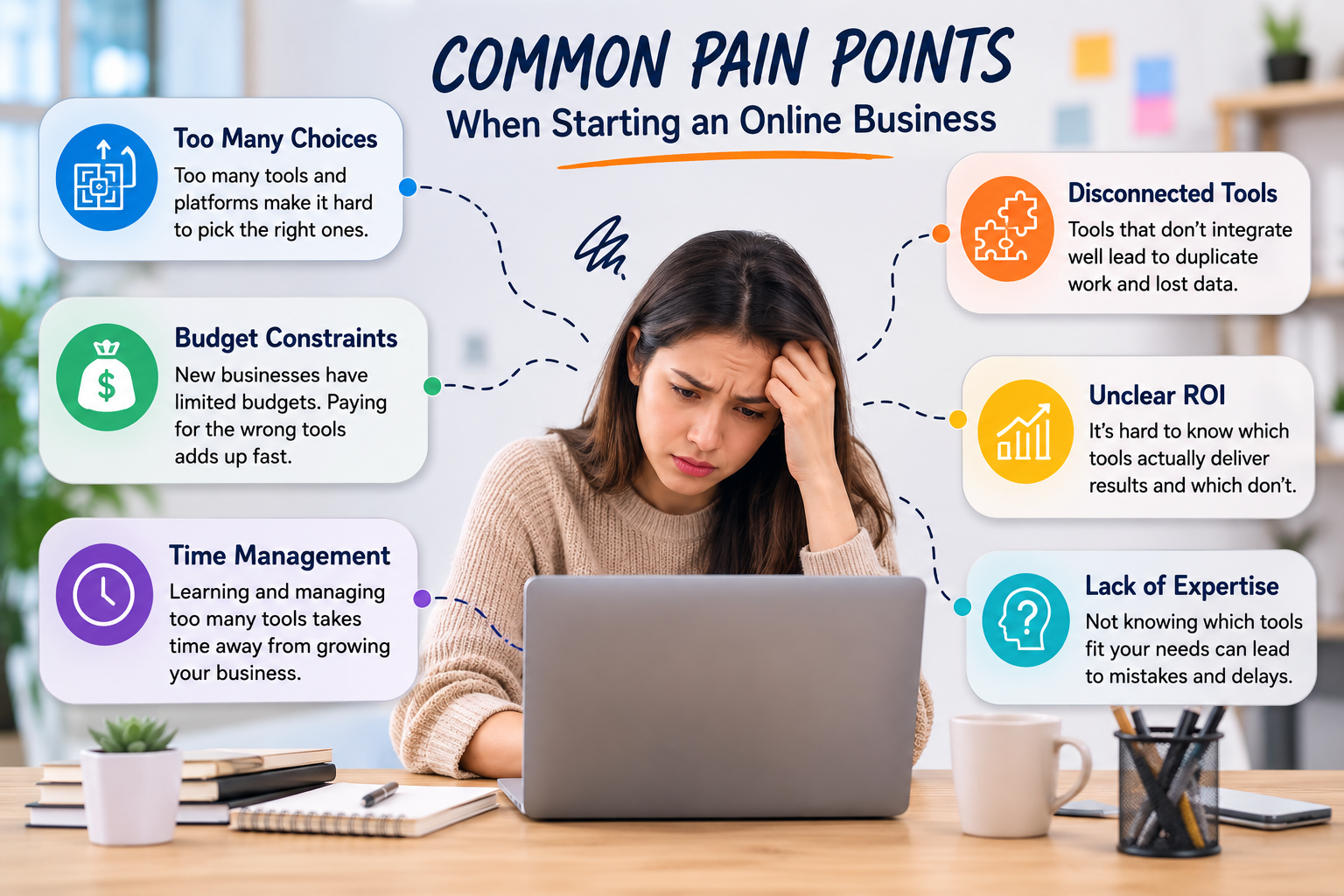
Choosing the best tools for starting an online business can quickly become overwhelming. There are platforms for building websites, accepting payments, sending emails, managing projects, tracking visitors, handling accounting, and almost every other task imaginable. But a new business rarely needs all of them from day one.
A better approach is to start with the jobs that actually need to get done. You need somewhere for people to find your business, a way for them to contact or buy from you, tools to manage the day-to-day work, and a reliable way to understand whether your efforts are producing results.
What you need also depends heavily on the type of business you’re starting. Someone launching an online store will have very different priorities from a freelance consultant, content creator, or small agency.
This guide looks at the tools that are genuinely useful at different stages of building an online business, from registering your domain to finding your first customers. You won’t need every tool on the list. The goal is to help you decide what is worth setting up now and what can wait until the business grows.
Quick Answer: What Are the Best Tools for Starting an Online Business?
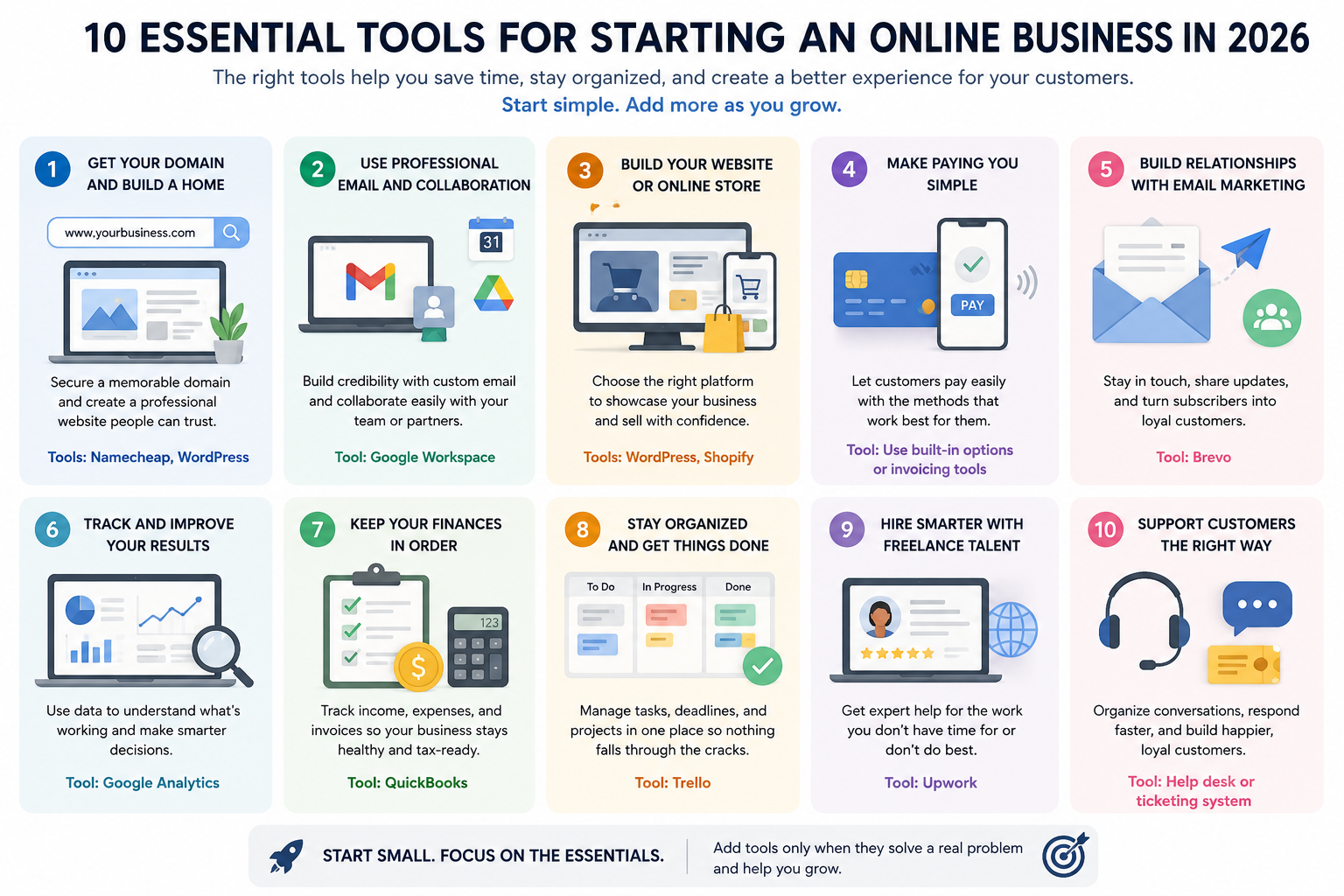
There isn’t one perfect collection of software for every new business. However, most online businesses need to cover a few basic areas: a domain, website, professional email, payments, marketing, analytics, accounting, and a way to organize the work.
For example, a freelance consultant might start with a domain, a simple WordPress website, Google Workspace, Stripe, and Google Analytics. An ecommerce business may be better served by Shopify because much of the storefront, checkout, and order-management infrastructure is already built into the platform.
You also don’t have to do everything yourself. Once the business starts requiring skills you don’t have—such as web development, graphic design, copywriting, or bookkeeping—it can make more sense to hire specialist help for a specific project rather than adding another piece of software or immediately employing someone full-time.
The best setup is usually the smallest one that allows you to run the business properly.
What Should the Best Tools for Starting an Online Business Cover?
Before comparing products, think about what your business actually needs to accomplish.
Most new online businesses will eventually need tools covering:
• Domain and website
• Professional email and communication
• Email marketing
• Online payments or ecommerce
• Website analytics
• Accounting and bookkeeping
• Project and task management
• Customer support
• Design and content creation
• Access to specialist freelancers
That doesn’t mean you should subscribe to ten different services immediately.
Suppose you’re starting a small consulting business. Your website platform may already provide contact forms. Your business email package may include cloud storage, video meetings, calendars, and document collaboration. Your payment provider may generate payment links without requiring a full ecommerce platform.
Using what you already have can keep monthly expenses under control while you’re still figuring out which parts of the business actually need more sophisticated tools. As the business grows, the challenge often shifts from simply having the right software to making sure your sales tools work together across lead capture, follow-up, and conversion rather than creating more disconnected processes.
Best Tools for Starting an Online Business Compared
| Tool | Best For | Starting Cost | When You Might Need It |
|---|---|---|---|
| Namecheap | Domains and online presence | Varies by domain | When securing your business domain |
| WordPress | Flexible business websites | Free software; hosting costs separate | When you need a customizable website |
| Shopify | Ecommerce | Paid plans | When selling products through an online store |
| Google Workspace | Business email and collaboration | Paid per user | When you need professional email and everyday productivity tools |
| Brevo | Email marketing | Free plan available | When you begin building and communicating with an email list |
| Stripe | Online payments | Transaction-based | When accepting payments online |
| Google Analytics | Website analytics | Free | When you want to understand where visitors come from and what they do |
| QuickBooks | Accounting and bookkeeping | Paid plans | When managing business finances becomes more complex |
| Trello | Tasks and project management | Free plan available | When you need a simple way to organize work |
| Upwork | Freelance specialists | Varies by project | When you need skills or capacity you don’t have internally |
Pricing and plans can change. Check each provider’s website for current pricing, renewal costs, plan limitations, and additional fees.
You probably won’t need everything in this table at the beginning. The more useful question is which problem needs solving next?
If nobody can find your business online, focus on your domain and website. If people are visiting but can’t buy from you, sort out payments. If work is piling up faster than you can handle it, better organization or outside help may become the priority.
1. Start With a Domain You Can Build a Brand Around
Your domain is one of the first decisions worth getting right because changing it later can be inconvenient. The U.S. Small Business Administration also treats establishing an online presence as an important part of launching a business, so securing a domain early gives you an address you can continue building around.
It doesn’t need to be clever. In fact, simple is usually better.
A good domain should be easy to remember, easy to type, and close enough to your business or brand name that customers aren’t left wondering whether they’ve reached the correct website.
Try to avoid unnecessary numbers, unusual spellings, and long strings of words. Also consider whether the name will still make sense if your business expands.
Imagine starting a store selling handmade desk organizers. A domain built around one particular organizer might feel appropriate today, but it could become restrictive if you eventually sell lamps, chairs, stationery, and other office products.
Before registering the domain, it’s also sensible to search for similarly named businesses and potential trademark conflicts.
Namecheap is one option for registering and managing a business domain. In addition to domains, it offers services such as hosting, business email, SSL certificates, and other website-related products.
For someone starting an online business, the main attraction is that you can secure the domain first and decide how to build the website afterward. Registering a domain with one company doesn’t mean you have to use the same company for every other part of your website.
Don’t judge a registrar purely by the introductory price, either. Domains are typically renewed year after year, so renewal pricing, domain privacy, account security, and ease of management matter as well.
Once you own the domain, the next decision is where the actual website should live.
2. Choose a Website Platform Based on What You’re Selling
One of the easiest ways to overspend when starting a business is building a website that’s far more complicated than you need.
A consultant may only need a homepage, service pages, an about page, examples of previous work, and a contact form. A publisher may care much more about content management and SEO. An ecommerce business needs products, checkout, payments, shipping, inventory, and order management.
That is why the right platform depends on the business model.
WordPress is a strong option when flexibility and content management are priorities. The software itself is open source, but you’ll generally need hosting and may pay separately for themes, plugins, maintenance, or other services.
Shopify is designed specifically around ecommerce. It can make more sense when selling products is the core purpose of the website because much of the commerce infrastructure is already integrated.
You don’t need to build for a hypothetical business with thousands of customers if you haven’t made your first sale yet. Start with something that works well now and can reasonably accommodate the next stage of growth.
3. Set Up Professional Business Email
Technically, you can start communicating with customers from a free personal email account. But once you’re operating under a business name, using your own domain looks more established.
Instead of:
you could use:
Google Workspace and Microsoft 365 are common options because email is only part of what they provide. Depending on the plan, you can also get calendars, cloud storage, documents, spreadsheets, video meetings, and collaboration tools.
This can eliminate the need for several separate subscriptions during the early stages of the business.
If you’re working alone, keep the setup simple. You may only need one primary mailbox plus addresses such as support@ or sales@ that forward to it. More complicated email systems can come later when there are actually multiple people who need them.
4. Give Customers a Simple Way to Pay You
Making a customer work too hard to pay is an avoidable problem.
The payment setup you need depends on what you’re selling.
A freelancer or consultant might only need to send invoices or payment links. An ecommerce store needs a complete checkout process. A subscription business needs recurring billing. A company selling internationally also needs to consider currencies and available payment methods.
Stripe is widely used for online payments and can support payment links, checkout experiences, subscriptions, invoicing, and more sophisticated integrations.
But don’t automatically build a complicated custom payment system.
If your ecommerce platform already provides the checkout infrastructure you need, use it. If you only send a few invoices each month, a straightforward invoicing solution may be sufficient.
At this stage, convenience matters on both sides: customers should be able to pay easily, and you should be able to see what has been paid without maintaining another complicated spreadsheet.
spreadsheet.
5. Start Building an Email List Earlier Than You Think
Social media followers can be valuable, but you don’t control the platforms where those audiences live. Algorithms change, organic reach fluctuates, and accounts can lose visibility surprisingly quickly.
An email list gives you a more direct way to stay in touch with people who have deliberately chosen to hear from your business.
You don’t need sophisticated automation when you’re just starting.
A simple newsletter signup, useful lead magnet, product update list, or discount signup can be enough to begin building an audience. As the list grows, you can introduce segmentation and automated sequences based on what subscribers are interested in.
Brevo is one option with a free tier for businesses beginning with email marketing. Other platforms may be better depending on the size of your list, ecommerce platform, automation requirements, and how sophisticated your campaigns eventually become.
The important part is starting to collect permission-based contacts rather than waiting until you have significant website traffic and realizing you have no way to reach previous visitors again.
6. Use Analytics to See What Is Actually Working
When you’re starting an online business, it’s easy to spend too much time looking at numbers that don’t tell you much.
A hundred website visitors might sound encouraging, but the more useful questions are where those visitors came from, which pages they viewed, and whether they took any meaningful action afterward.
Google Analytics gives businesses a free way to understand website traffic and visitor behavior, including how people arrive on a website and what they do after getting there. Depending on how your site is configured, you can track things such as traffic sources, popular pages, conversions, and the paths visitors take through the website.
You don’t need an elaborate reporting system at the beginning. Pick a few numbers connected to actual business goals.
If you run an online store, that could mean tracking product views, add-to-cart activity, completed purchases, and revenue. A consultant may care more about visits to service pages and completed enquiry forms.
Traffic by itself isn’t necessarily success. Fifty visitors who are genuinely interested in what you sell can be far more valuable than 5,000 people who leave almost immediately.
7. Keep Your Finances Organized From the First Sale
Accounting is one of those tasks that seems easy to postpone when a business is small.
You make a few sales, pay a handful of expenses, and assume you’ll organize everything later. The problem is that “later” can quickly turn into months of invoices, receipts, subscriptions, payment-processing fees, and transactions that need to be reconstructed.
You don’t necessarily need sophisticated accounting software before you’ve earned anything. But you should have a system from the beginning.
QuickBooks is one established option for businesses that need bookkeeping, expense tracking, invoicing, and financial reporting. Depending on your location and business structure, other accounting platforms may be more appropriate.
Software also doesn’t replace professional advice. Tax obligations, registration requirements, and accounting rules vary considerably by country and business structure, so a qualified local accountant can become particularly valuable as the business grows.
The important thing is to avoid mixing everything together and hoping you’ll remember what each transaction was six months later.
8. Don’t Overcomplicate Project Management
A new business with one or two people rarely needs an enterprise project-management system.
A simple task list can be enough.
Once you’re juggling website updates, customer requests, marketing campaigns, invoices, content, suppliers, and deadlines, however, relying entirely on memory becomes risky.
Trello is a straightforward option for visually organizing tasks into boards and lists. Other tools such as Asana, ClickUp, or Notion can provide more sophisticated workflows when needed.
The tool itself matters less than whether you actually use it.
A simple board with columns such as To Do, In Progress, Waiting, and Done can be more useful than a complicated system with dozens of automations that nobody maintains.
Start simple. Add structure only when the work becomes difficult to follow.
9. Know When to Hire Instead of Doing Everything Yourself
One of the biggest limitations when starting an online business isn’t necessarily money. It’s time.
At first, founders often become the web designer, marketer, salesperson, customer-support representative, bookkeeper, copywriter, and administrator all at once.
Doing some of those jobs yourself can save money. Trying to master every one of them can also prevent you from spending enough time on the work that actually generates revenue.
This is where outsourcing individual projects can make sense.
For example, you might be perfectly capable of updating your website but need a developer to fix a technical problem. You may understand your customers well but struggle to create professional graphics. Or perhaps bookkeeping is taking several hours every month that could be spent serving customers.
Upwork provides access to freelancers across areas such as web development, design, writing, marketing, administration, accounting, and customer support.
The useful part for a new business is flexibility. Instead of hiring someone permanently because you need 20 hours of specialist work, you can hire for a defined project or ongoing freelance arrangement.
That doesn’t mean you should outsource everything.
Tasks closely tied to your core expertise, customer relationships, or business strategy often benefit from staying with you, particularly in the early stages. Freelancers tend to be most useful when the work has a clear outcome and requires a skill you either don’t have or don’t have enough time to perform well.
For example, rather than spending three weeks learning how to customize a website, it may be more economical to hire an experienced developer for a few hours and spend those three weeks finding customers.
Before hiring, define the result you want, your budget, expected timeframe, and what you will provide. A vague project brief usually produces vague results.
10. Add Customer Support Tools When Customers Actually Need Them
You don’t necessarily need dedicated customer-support software before you have customers.
A business email address may be perfectly adequate initially.
The situation changes once customer questions start arriving through several channels or multiple people need to respond to them. At that point, relying on a shared inbox can make it difficult to tell which requests have been answered and which have been forgotten.
Help desk platforms can organize conversations into tickets, assign requests, track response times, and build a searchable knowledge base for frequently asked questions. As support volume increases, a ticketing system for small businesses can also reduce the risk of requests being overlooked or multiple people responding to the same customer.
But this is another category where buying too early creates unnecessary expense.
If you’re receiving five customer emails a week, you probably don’t need a sophisticated support operation. If you’re receiving 100 and occasionally losing track of conversations, the problem has become real enough to solve.
How to Choose the Best Tools for Starting an Online Business
The easiest way to choose business software is to ask what would happen if you didn’t buy it.
If the answer is nothing particularly serious, you probably don’t need it yet.
If the answer is that customers couldn’t pay you, leads would be lost, invoices would go untracked, or important work would regularly be forgotten, then the tool may be solving a genuine problem. The same principle applies to customer management: once spreadsheets make follow-ups difficult or customer information starts getting scattered, moving to one of the simpler starter CRMs designed for growing teams can provide more structure without introducing unnecessary complexity.
Cost should also be viewed collectively rather than one subscription at a time. Five tools costing $20 per month don’t feel particularly expensive individually, but together they become $1,200 per year.
Before adding another platform, ask:
• Does something we already pay for handle this adequately?
• Will we use this every week?
• Does it save meaningful time or help generate revenue?
• Can we start on a free or lower-cost plan?
• Will moving away from the platform later be difficult?
The best tools for starting an online business are rarely the ones with the longest feature lists. They’re the ones that solve a problem you actually have without introducing another problem in the process.